Filters

One voice. Every register.

Filters decide how your words come out: terse for Slack, polite for email, structured for docs, exact for code. You pick the filter once; the tone follows.
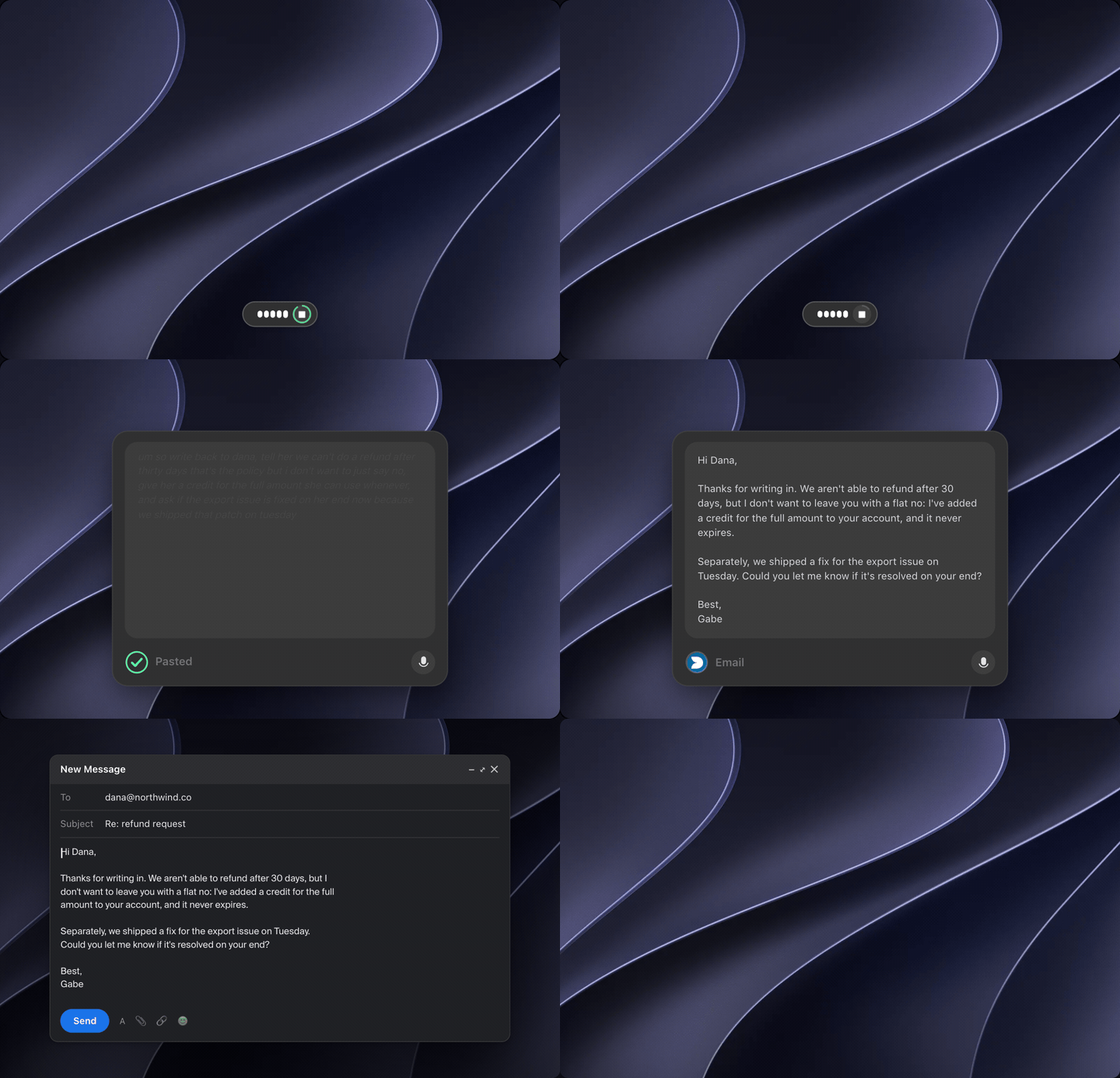
Speaking a rough reply into Dolfinspeak's Email filter; the polished message lands in a Gmail compose window on a Mac.
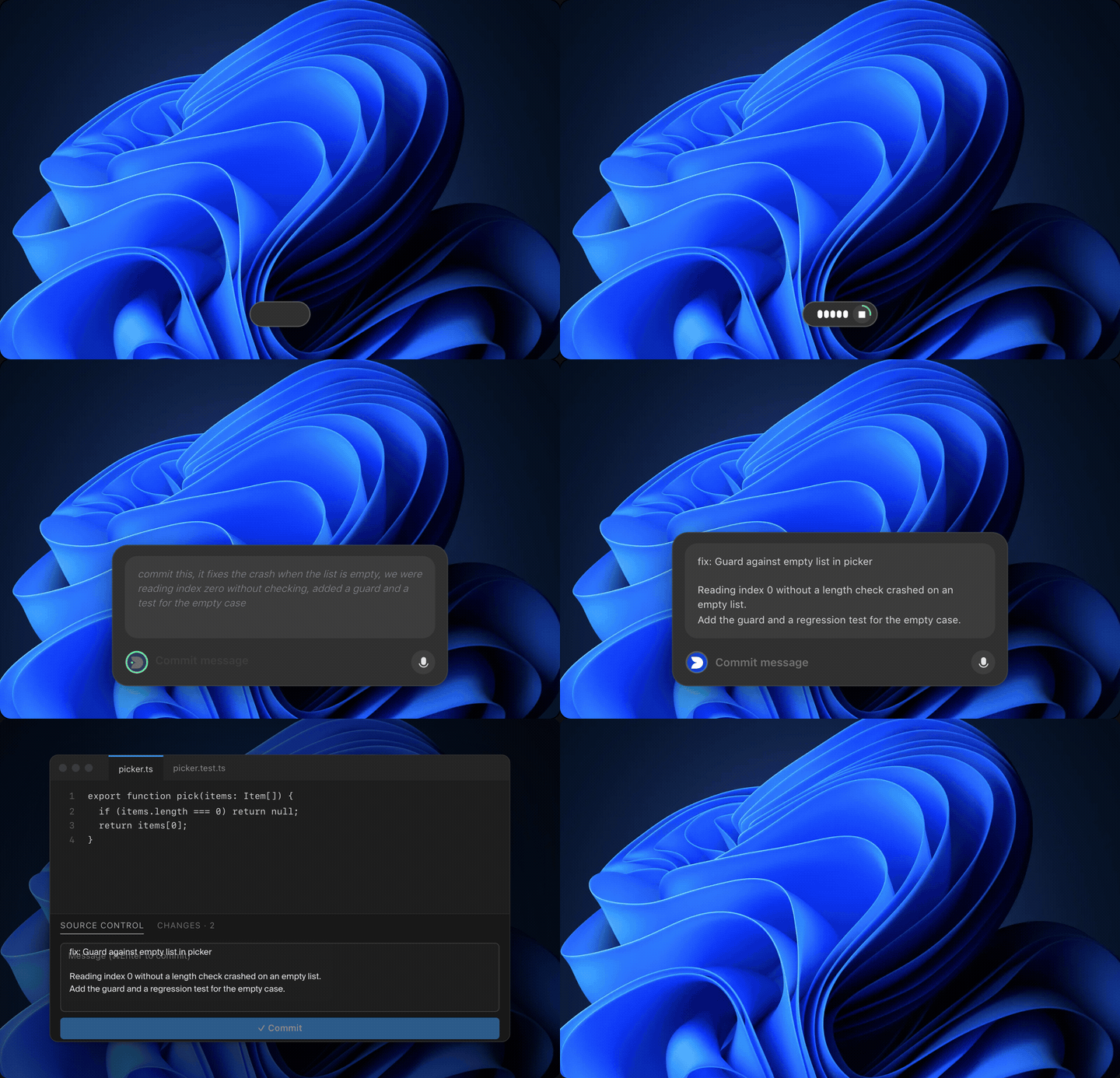
Describing a fix out loud in Dolfinspeak's Code filter; a clean commit message lands in the editor on Windows.
Not dictation

Faster than typing. Cleaner than dictation.

Dictation gives you back your ums. Dolfinspeak gives you back the message you meant, in the app you're already in, at the cursor.
Slack

Say it once. It reads like you typed it.

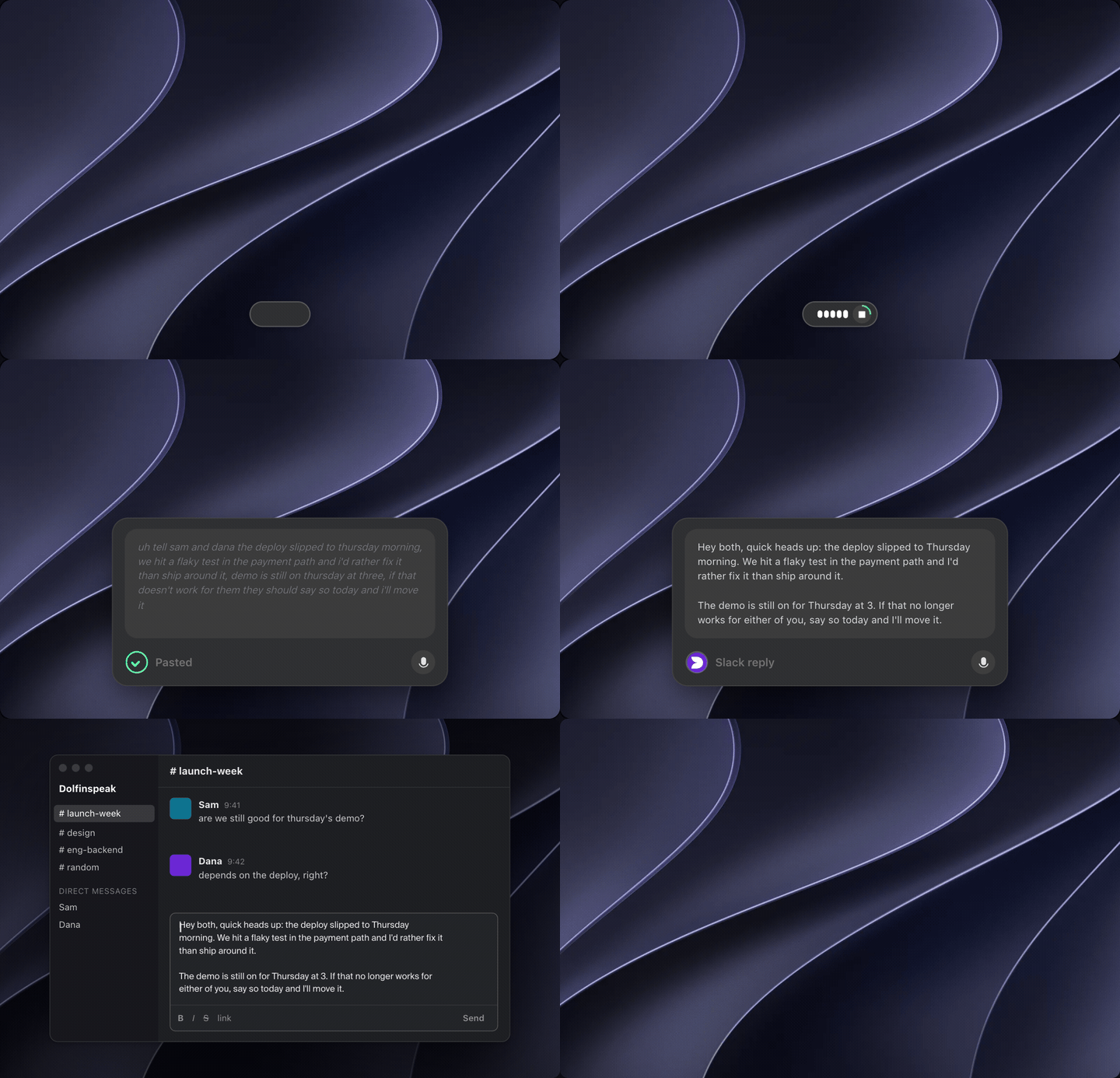
  • A heads-up in one breath Ramble the update. The reply comes out short, with the ask at the end.
  • Names and times kept People, days and times land exactly as you said them.
  • Lands in the thread Pasted at the cursor in Slack. Nothing to copy over.
Speaking a quick update into Dolfinspeak's Slack reply filter; a short, clear message lands in a Slack thread on a Mac.

Launch waitlist

We're letting people in a few at a time.

Join for free and we email you the download when it's your turn. Or skip the line today with Pro from $20/mo, or a one-time Founder's Pass.

Is my audio uploaded?

No. Speech is transcribed on your device. Only the text of a filter run leaves, and only when a filter needs it.

Why a waitlist?

We're small and we'd rather serve fewer people well. Pro and the Founder's Pass skip it because they pay for the seat.

Does it work in every app?

Anywhere you can type. It pastes at the cursor.

Mac or Windows?

Both, from day one. Dolfinspeak runs natively on macOS and Windows.

Ready when you are.

Grab it, hit record, watch the words land.

Mac and Windows · we're letting people in a few at a time